Your team, in one place. Even when they're not.
Happy Kamper is staff management software for childcare and enrichment centres. It keeps one record of who is on the team, where they teach, and whether they checked in on time and on site, with GPS-verified check-in across multiple locations and an instructor app that shows each teacher their schedule and class rosters.
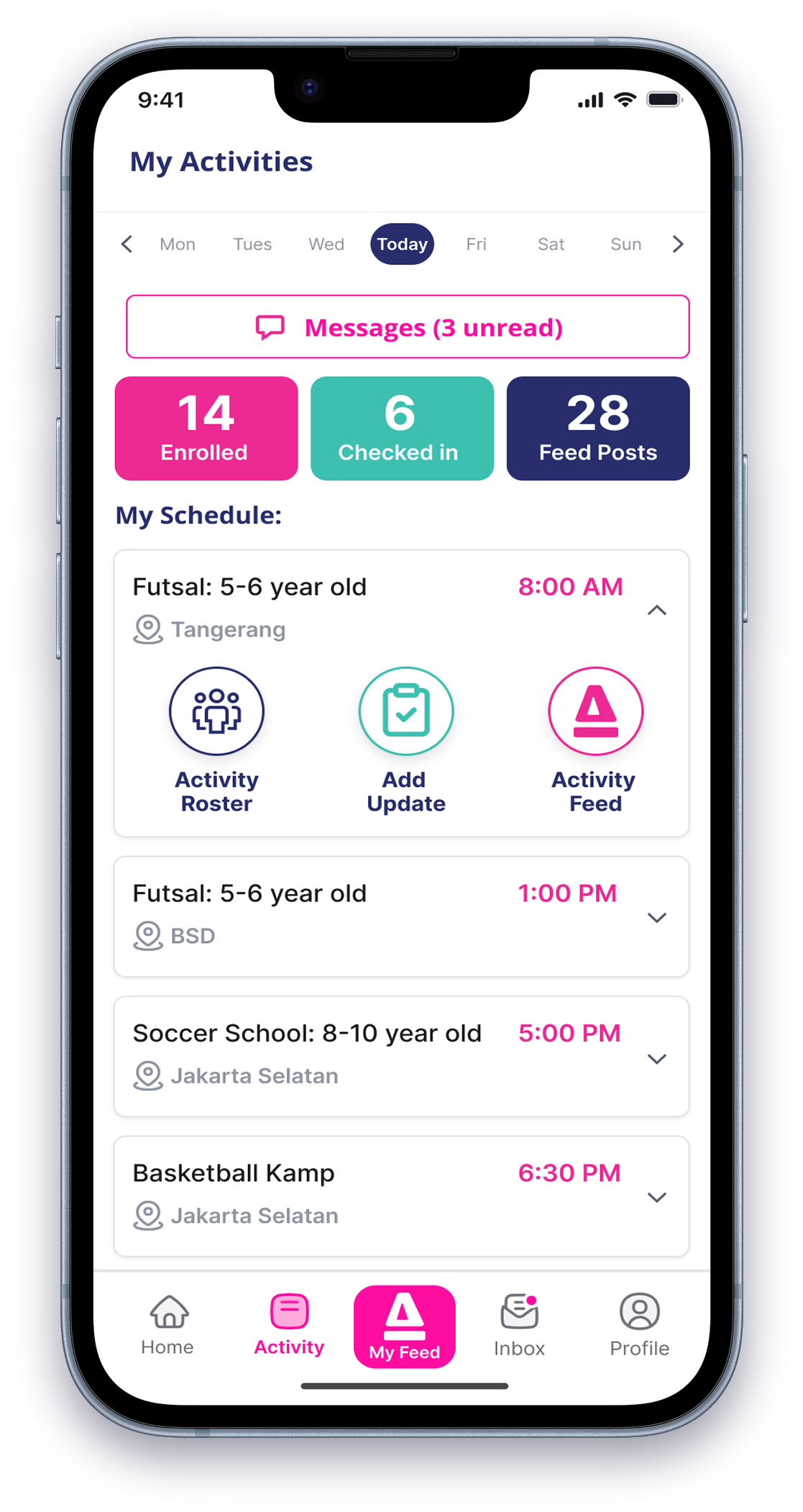
A spreadsheet and a WhatsApp group can only tell you so much about who is on shift today. Whether you run one daycare with eight teachers or three swim sites with traveling coaches, Happy Kamper handles the parts a centre actually needs: who is on the team, where they teach, and whether they showed up on time and on site. No texting the front desk to ask.
One team, one place to see them.
Did they arrive at the right place, in time to teach.
Schedule, rosters and parent DMs in one place.
Late and off-site flagged at a glance.
Does every coach and teacher get their own account?
Every coach, teacher and admin on your team has their own account in Happy Kamper. That account knows the locations they teach at and the activities they run. The swim coach who's at Central Studio in the morning and Riverside in the afternoon is one person on your team, not three.
- Their own account. Name, photo, email, WhatsApp. The contact info you actually use day to day.
- Many locations, many activities. One coach can be linked to multiple sites and multiple things they teach.
- Several staff on one activity. The four coaches who can teach Saturday morning tutoring are all linked to that activity.
How do you stop staff checking in from the traffic jam?
We both know how it goes. Traffic at 7:50 is a fact of life, not a character flaw. Geolocation check-in is built around that reality: did your coach actually arrive at the right site, in time to teach, with their phone in their hand and not still on a motorbike two blocks away.
It's not about checking up on your team. It's about answering the one question parents will ask: "is the teacher here yet?"
A clock-in button on its own tells you someone tapped a button. Happy Kamper's clock-in button knows whether the person tapping it is at your school or stuck in the parking lot down the street. Same gesture for the staff member, far more useful information for you.
Pick the rhythm that fits the staff member's real day.
Centers don't run one way, and check-in shouldn't either. Configure how often staff check in based on the pattern of work that's actually happening at your center. Two options, because real activity-center staffing is one of two shapes.
Best for permanent staff at a single site. The teacher who's at one daycare all day, the admin at the front desk from open to close. One clock-in for the shift, you trust the rest of the day.
One check-in covers the day's activities at this site.
Best for traveling coaches. The swim coach running three sessions across two pools, the tutoring teacher doing a class at four and another at six. Each class gets its own check-in, because each class is a different site.
Configure a buffer, because real life has traffic.
How early counts as "on time" is your call. Set the window. Ten minutes before class is a common one, and a check-in inside that window lands as on time. A check-in outside it gets flagged late. That's it. No strikes, no automatic discipline, just a clear, fair line your staff know about up front.
A daycare with a 7:30 open might want a 15-minute buffer because parents start arriving at 7:20. A swim school whose coach is coming straight from another pool might give themselves five. The right number is the one that matches how your center actually runs.
You set it. The center configures how often and how early staff check in. Happy Kamper just applies the line you drew.
Two questions, answered every check-in.
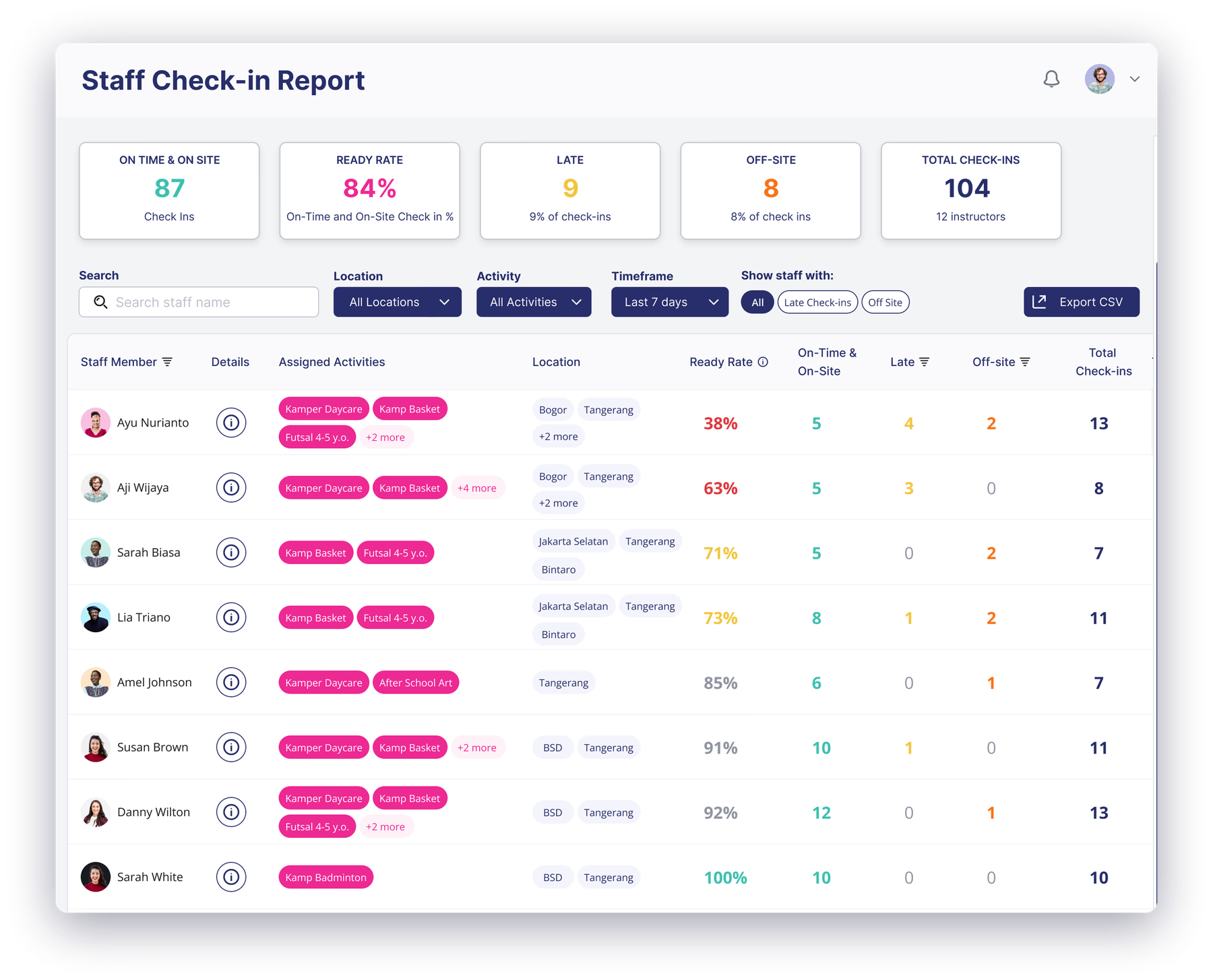
Staff check in via the Happy Kamper app. The system captures the time and the GPS location of the device at that moment. The check-in report then answers two things, plainly: were they on time, and were they on site. That's the whole check.
Did the check-in land inside the buffer you configured? If yes, on time. If not, flagged late, surfaced clearly in the check-in report.
Did the GPS location at check-in match the activity's location? If yes, on site. If not, flagged off-site, and the detail view shows where the device actually was on a map.
What do your staff actually open on the way to class?
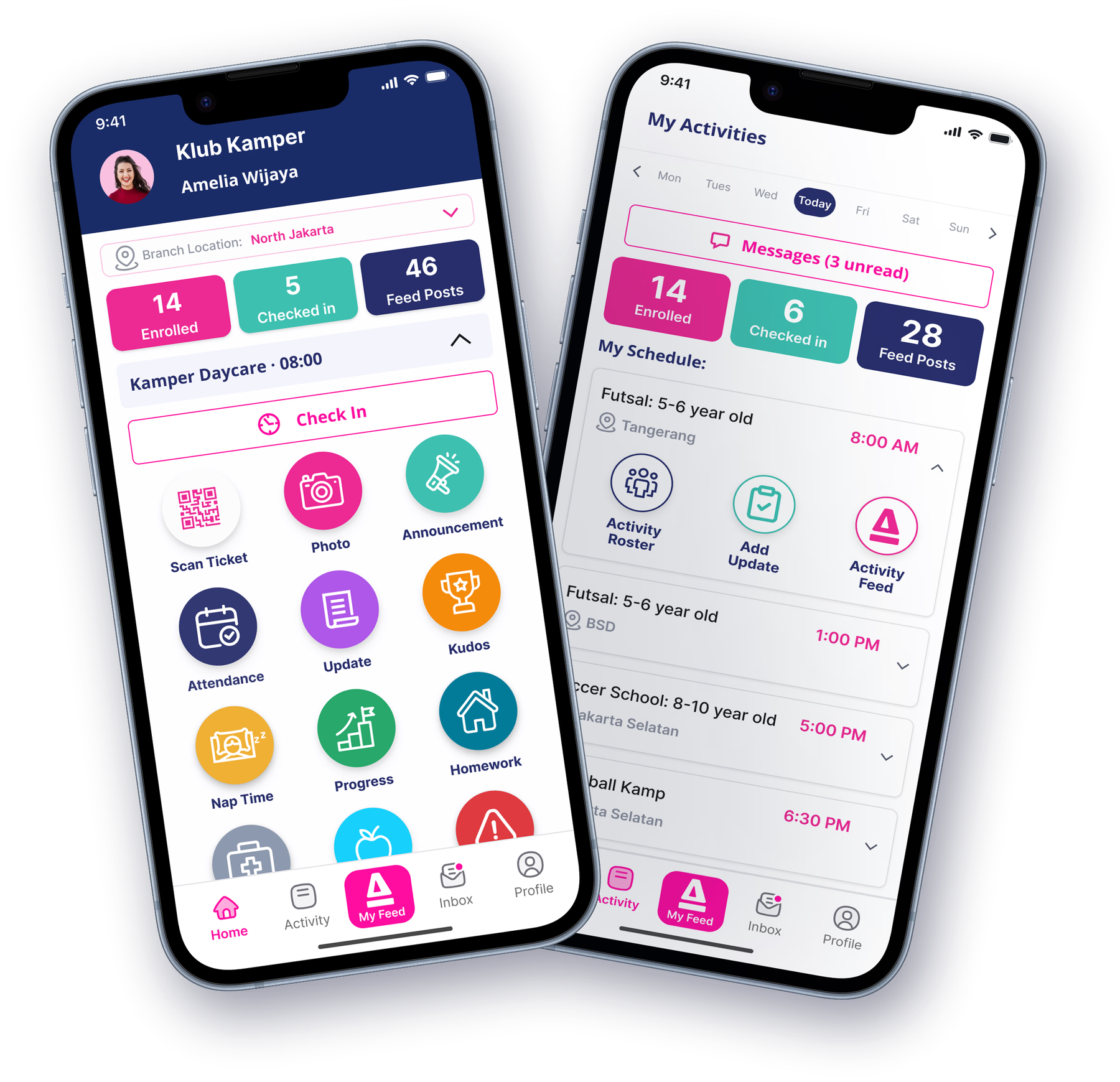
The instructor app is the staff side of Happy Kamper. It's the screen the coach opens between classes, what the daycare teacher checks first thing in the morning. It does three things.
- Their full schedule of assigned activities.
Every activity they're linked to, laid out so they know where to be and what they're teaching, without checking a WhatsApp group or a printed sheet.
- The student roster for each activity.
Open an activity, see the children enrolled. Names, photos, the basics, so a new coach on their first day at North Branch isn't guessing.
- Direct messaging with parents.
Parents can message your staff directly, staff can reply. That's a parent reaching out about a missing water bottle or asking if pickup at 4:30 is fine, handled in-app, on the record.
What does the owner see? The team list and the check-in report.
From the admin side, staff management is two screens you actually use: who's on the team, and did they show up where they were meant to.
One center-wide roster of everyone on the team. Each entry shows the staff member's account (name, photo, contact info) and the locations and activities they teach. The starting point for everything else.
A summary of on-time, on-site, late and off-site check-ins across your staff. Drill in. Any individual check-in opens to a detail view with the time, the activity, and the GPS location on a map.
A team you can see. Check-ins that prove the lesson happened.
That's what staff management does at Happy Kamper. The rest of the platform (attendance, billing, scheduling, parent communication, milestones) is built around the same picture of how your center actually works.
See how Happy Kamper works for your kind of center.
Staff management is most useful when the rest of the platform is doing its job too, and that job changes by vertical. Pick the one closest to you.
Frequently Asked Questions
Don't see your question? Chat on WhatsApp
Instructors check in through the Happy Kamper instructor app on their smartphone. Check-in time is recorded automatically. Admins can see in real time which staff are present at each location.
Yes, instructors can be assigned to multiple activities across different times and locations. The system prevents scheduling conflicts and shows availability at a glance.
Staff can view their assigned schedule in the instructor app. They can see upcoming sessions, locations, and any changes. Schedule changes are managed by admins to maintain control.
Yes, staff reports show attendance reliability, number of sessions taught, parent ratings for their activities, and workload distribution. This helps you identify top performers and areas for improvement.
Yes, you can manage all staff from one dashboard regardless of how many locations you operate. Filter by location to see who is assigned where, or view the full team.
Yes, instructors use the Happy Kamper instructor app which gives them access to their schedule, attendance check-in, child rosters for their activities, and the ability to post daily updates.
Yes, you can set different permission levels for different staff roles. Full admins see everything, while instructors only see their assigned activities and children.
Staff check-in data feeds into the reporting system alongside child attendance. You can see correlation between staff presence and operational quality.
Staff management is part of Connect Pro, not Connect Lite. Pricing is tailored to your market and the size of your center, so explore the interactive demo and book a setup call for a quote.
Ready to run your team with visibility?
See how Happy Kamper handles staff accounts, geolocation check-in, scheduling, and reporting in one platform.